
MAGAZINE
How to publish your website on your domain of choice
Let's quickly talk about what it means to publish your site on your own domain. 😉
What does it mean to publish your website on your domain?
What is DNS?
Step1. Log in to your account
Sign in to your GoDaddy Domain Portfolio.
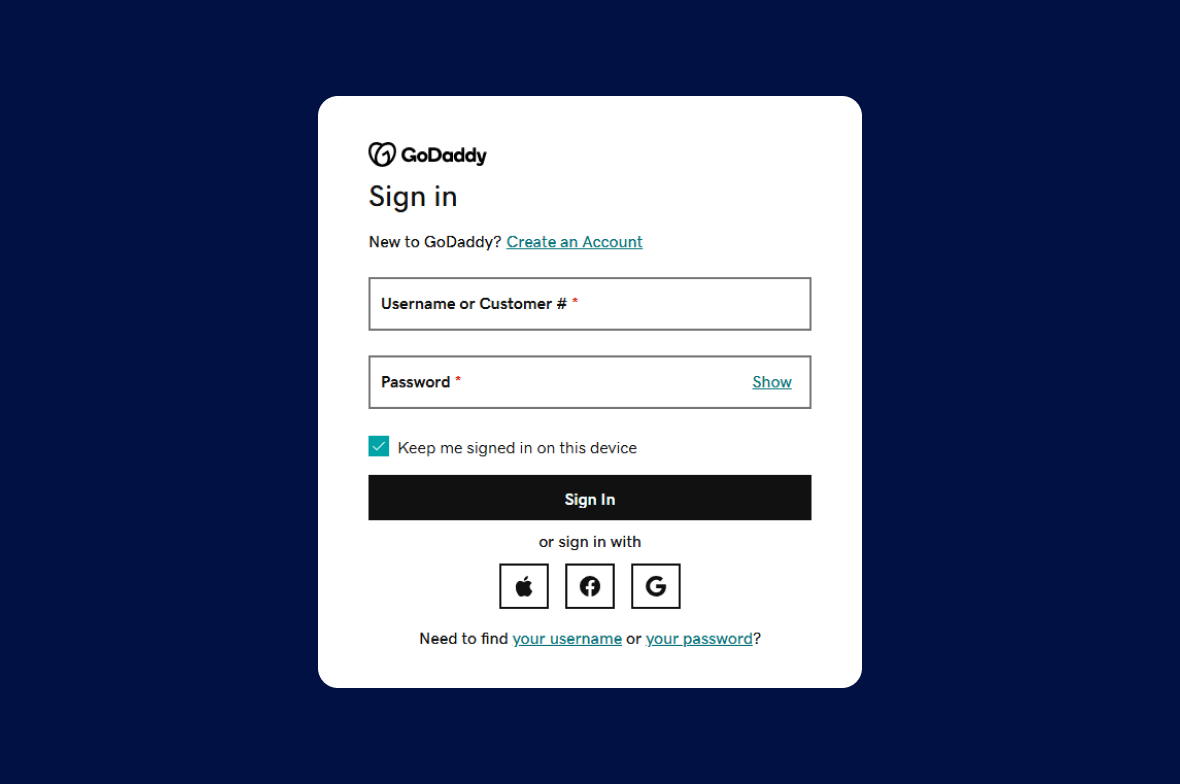
Go to GoDaddy
https://www.godaddy.com/
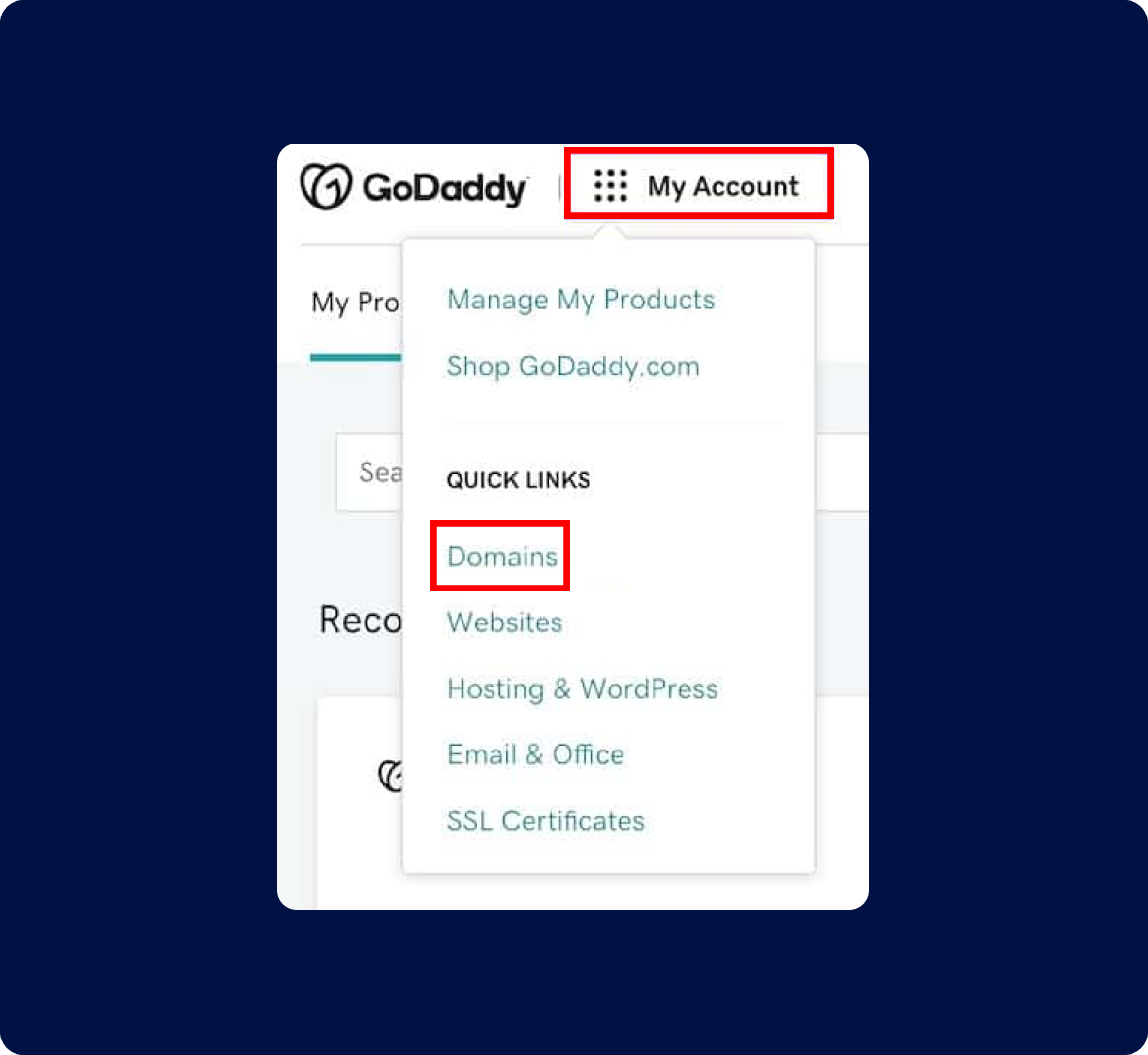
Step 2. Navigate to DNS management in GoDaddy
Click on My Account near the upper left corner and select Domains under Quick Links.
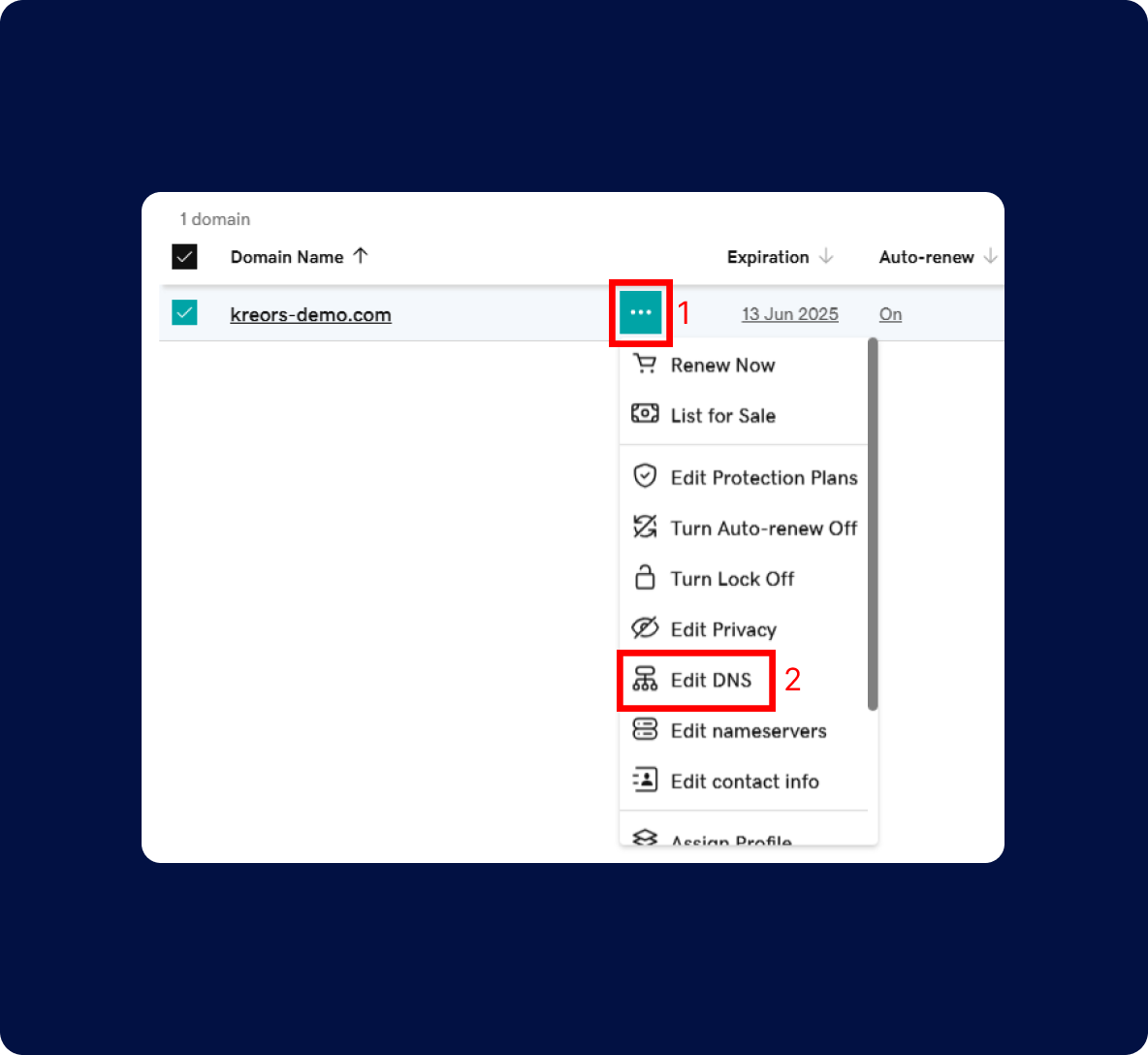
Step 3. Manage DNS
Click on the kebab (three-dot) menu for your domain and select Edit DNS from the dropdown menu.
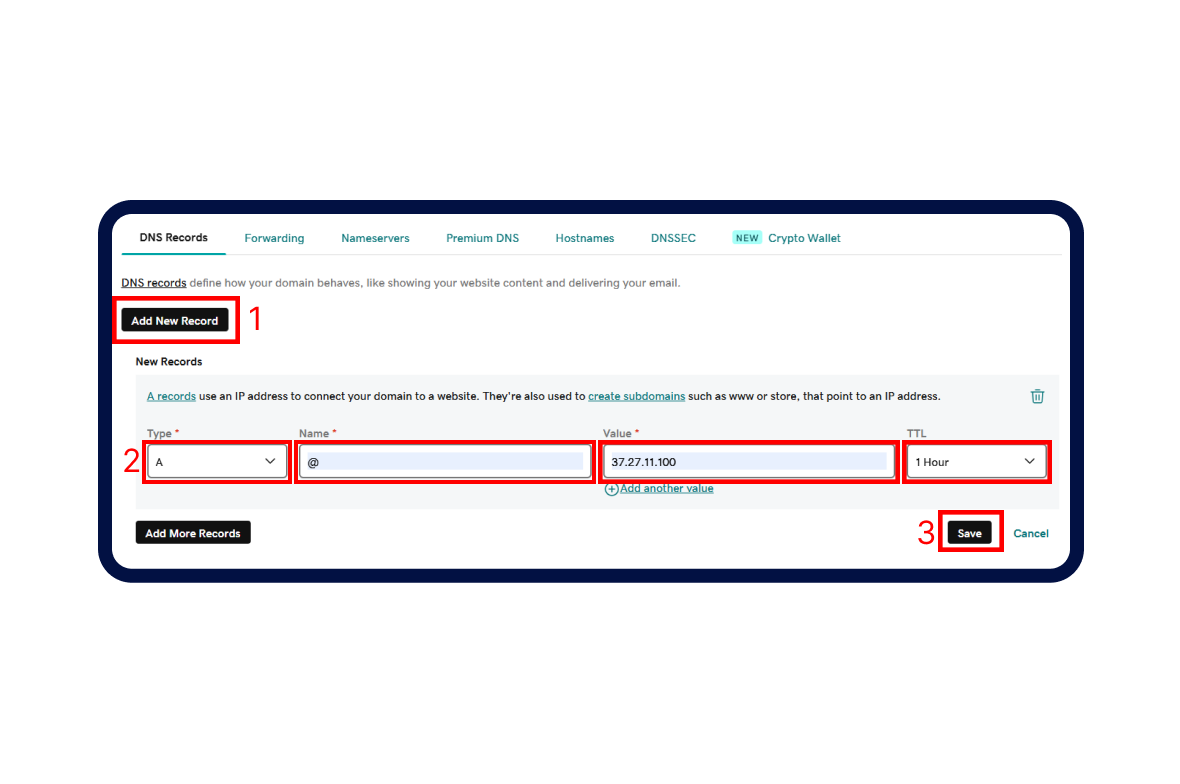
Step 4. Add a new A record
If there isn’t an existing A record for your domain, click the Add Record button and enter the following details: TYPE: "A", NAME: "@", VALUE: "37.27.11.100", TTL: "1 Hour". Click "Save" button.
Step 5. Just a little waiting time
After updating your DNS settings, it takes a bit of time for the changes to spread across the internet. This is called DNS propagation.
How long?
Why the wait?
What to do?
Congratulations!
With each step completed, you've transformed your website from an idea into a reality. Now, it's time to publish your project.
TAKE THE FIRST STEP
Express yourself and create something meaningful and authentic.
Kreors. All rights reserved.